
On this page
Before you start Decide where inference may run Connect one model Ask one question you can check Separate conversation from worker models Choose capabilities deliberatelyClio Coder lets you choose the model connection around your project. Start with the place your code is allowed to go, then choose a model and runtime that can do the task. A local GPU, a model server, an institutional gateway, and a cloud API are different deployment choices.
Before you start
- Node.js 22.19 or newer on Linux or macOS.
- A repository you know, so you can judge the first answer.
- One model route you are allowed to use for this code: an app on your computer, a model server, an AI subscription, or a provider account.
Decide where inference may run
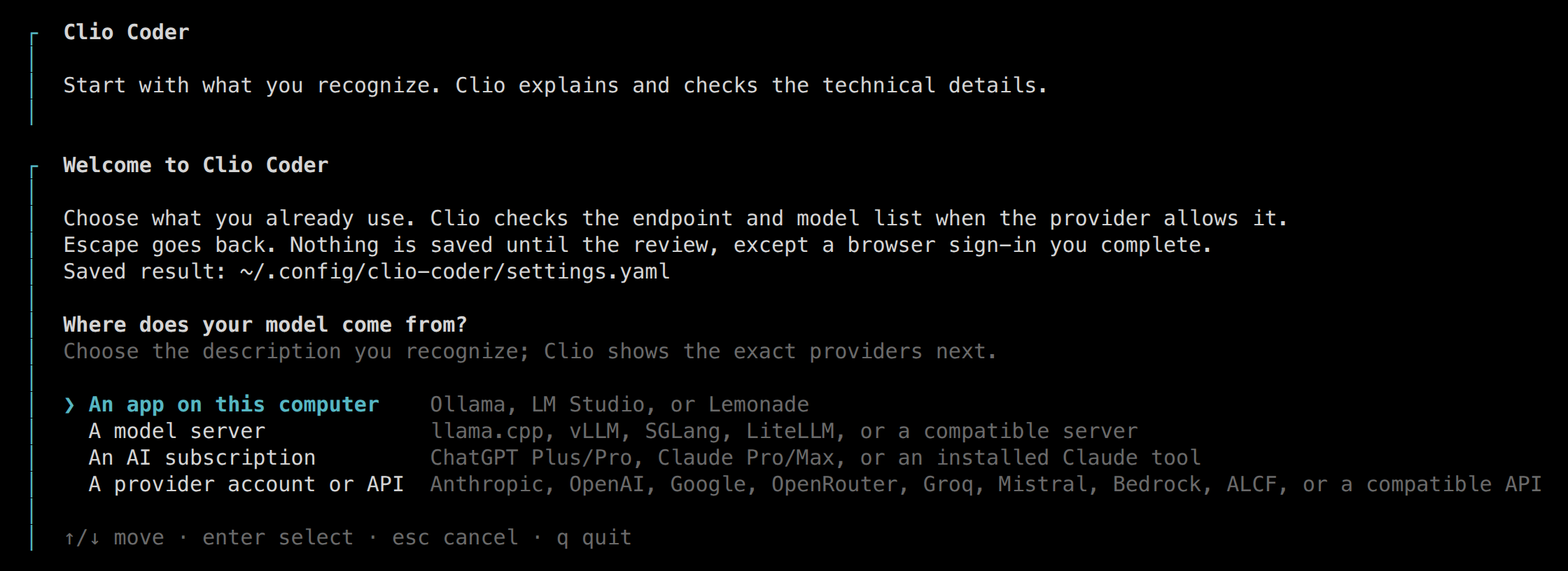
Guided setup offers four kinds of route. Choose by where the model input may go, then by what you already run.
| Route | Where inference runs | What the wizard lists |
|---|---|---|
| An app on this computer | Your machine | Ollama, LM Studio, or Lemonade, with a model loaded |
| A model server | The server you name | llama.cpp, vLLM, SGLang, LiteLLM, or a compatible server |
| An AI subscription | The provider | ChatGPT Plus or Pro, Claude Pro or Max, or an installed Claude tool |
| A provider account or API | The provider | Anthropic, OpenAI, Google, OpenRouter, Groq, Mistral, Bedrock, ALCF, or a compatible API |
The wizard shows these providers after you choose the route. A subscription-backed route has its own authentication and usage conditions; it is not interchangeable with an API account. The connection guide covers each route.
Where each part runs
Your computer
Clio and its tools
The session, repository tools, and approvals run where you start Clio.
model requests
The route you choose
Inference
A local app, a model server, a subscription, or a provider API.
delegated work
Where a worker runs
Worker tools
On this computer by default, or on an SSH node you configure.
Connect one model
Install the released package
Shell
npm install -g @iowarp/clio-coder cd /path/to/your/projectStart guided setup
Shell
clio-coder configureChoose Guided setup. The desktop alpha offers the same wizard after
clio-coder gui --open.Pick the route and the model
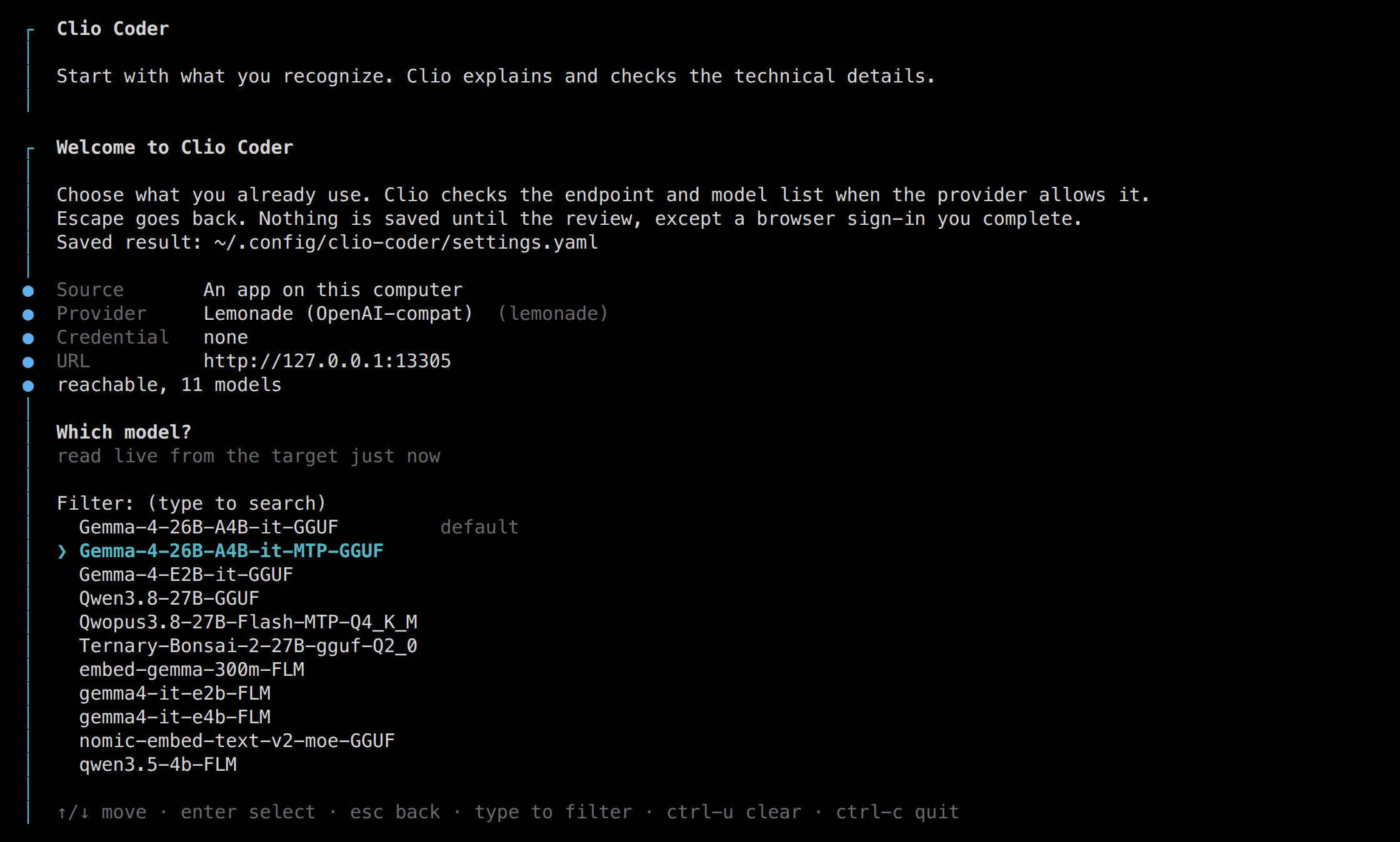
Choose the kind of route, then the app or provider. Confirm the endpoint if it has one, then select a model that supports tool calling. For a local server with no models, load one and choose Check again.
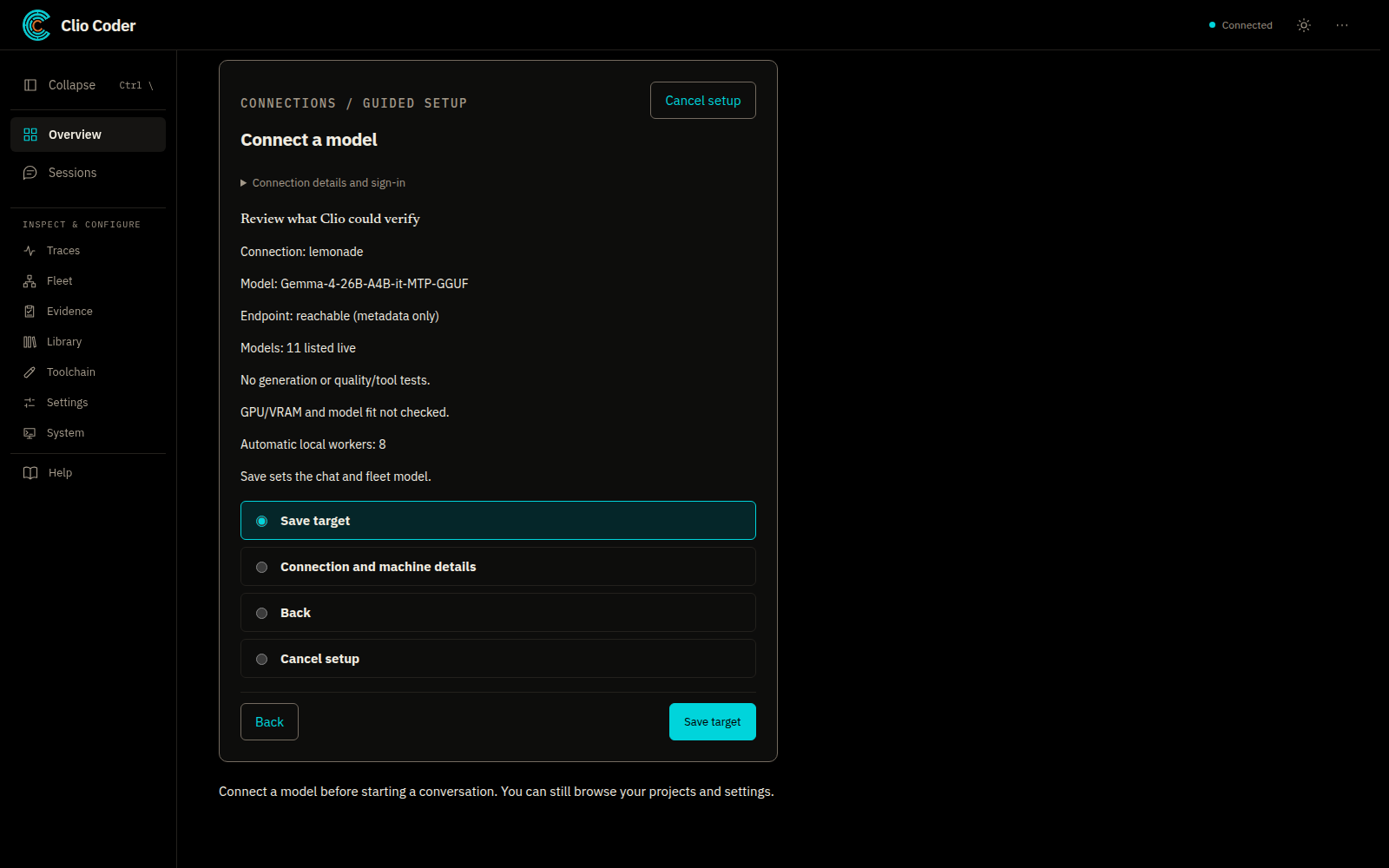
Review the connection, then save
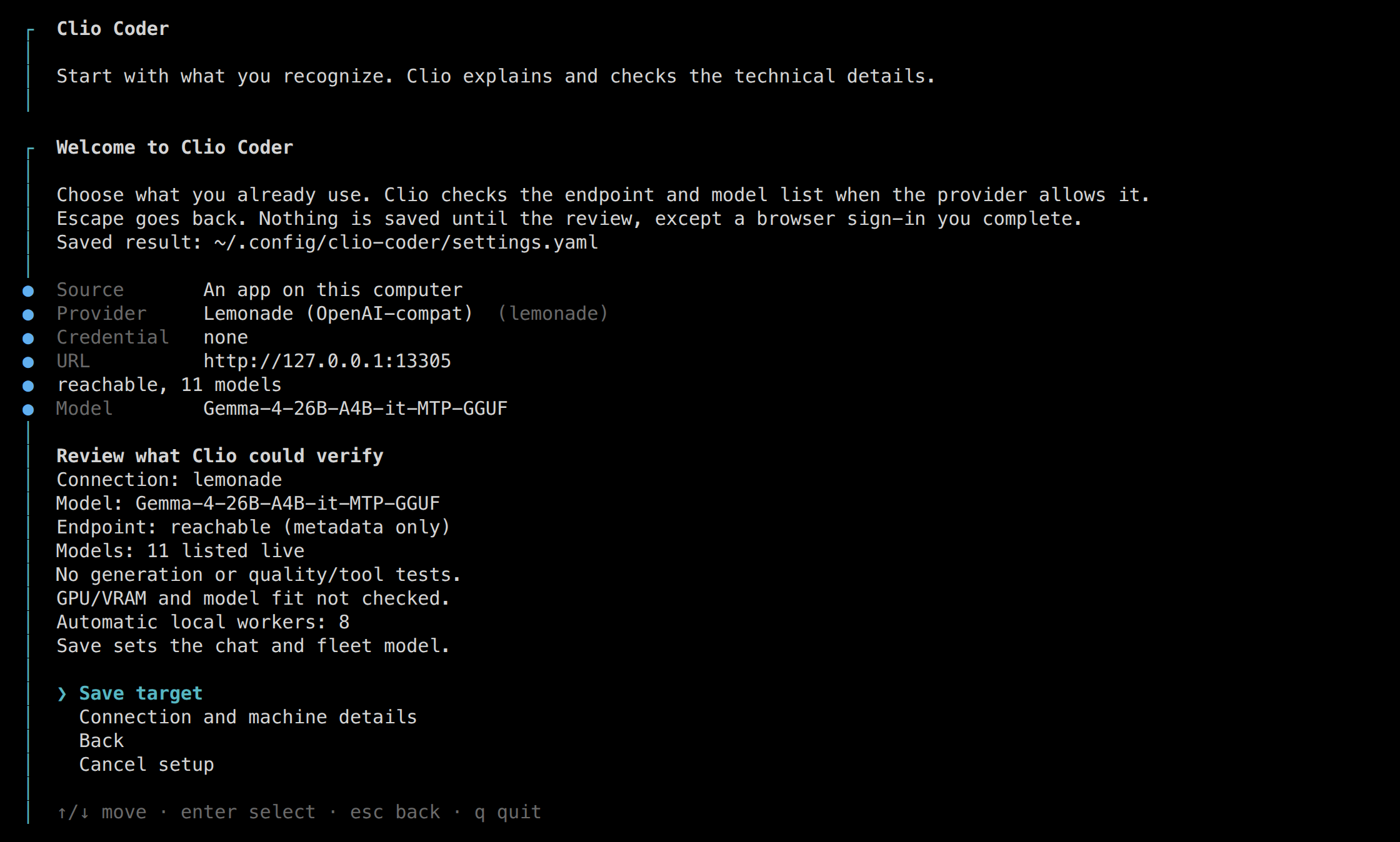
The review shows what setup established. The first connection supplies the chat and worker defaults.
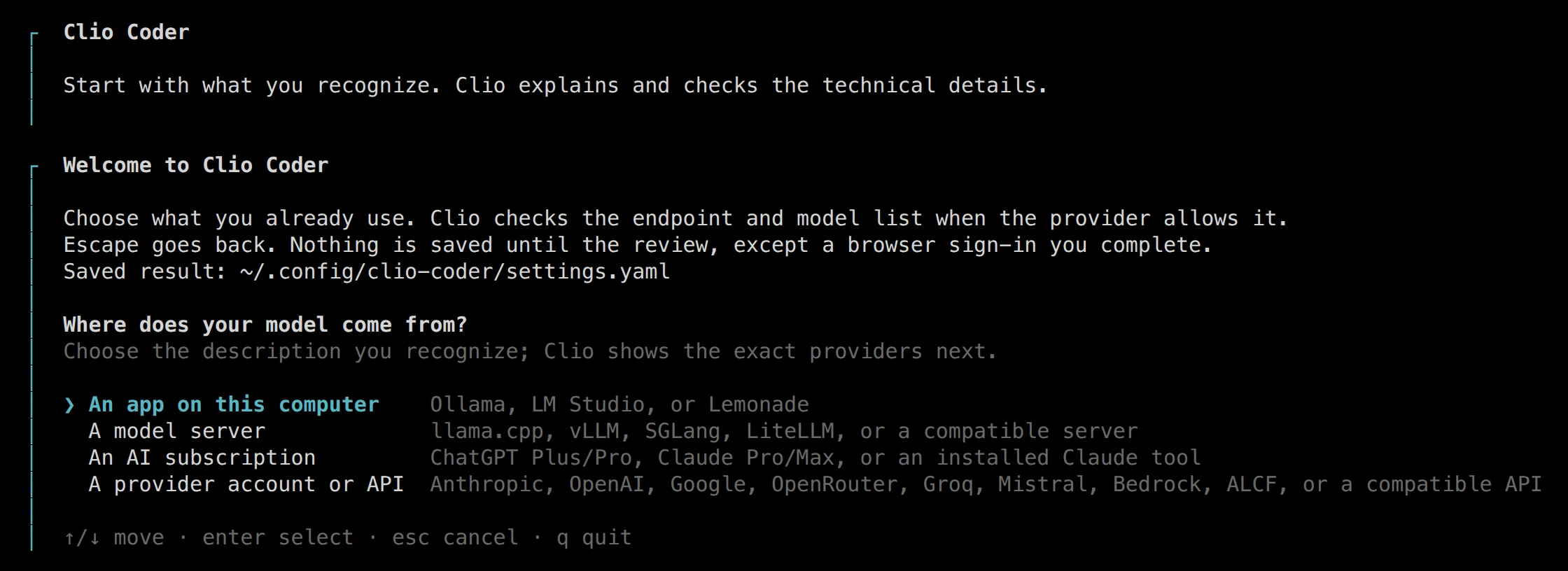
01 Guided setup asks where the model comes from and lists the providers behind each route. Terminal · v0.5.7
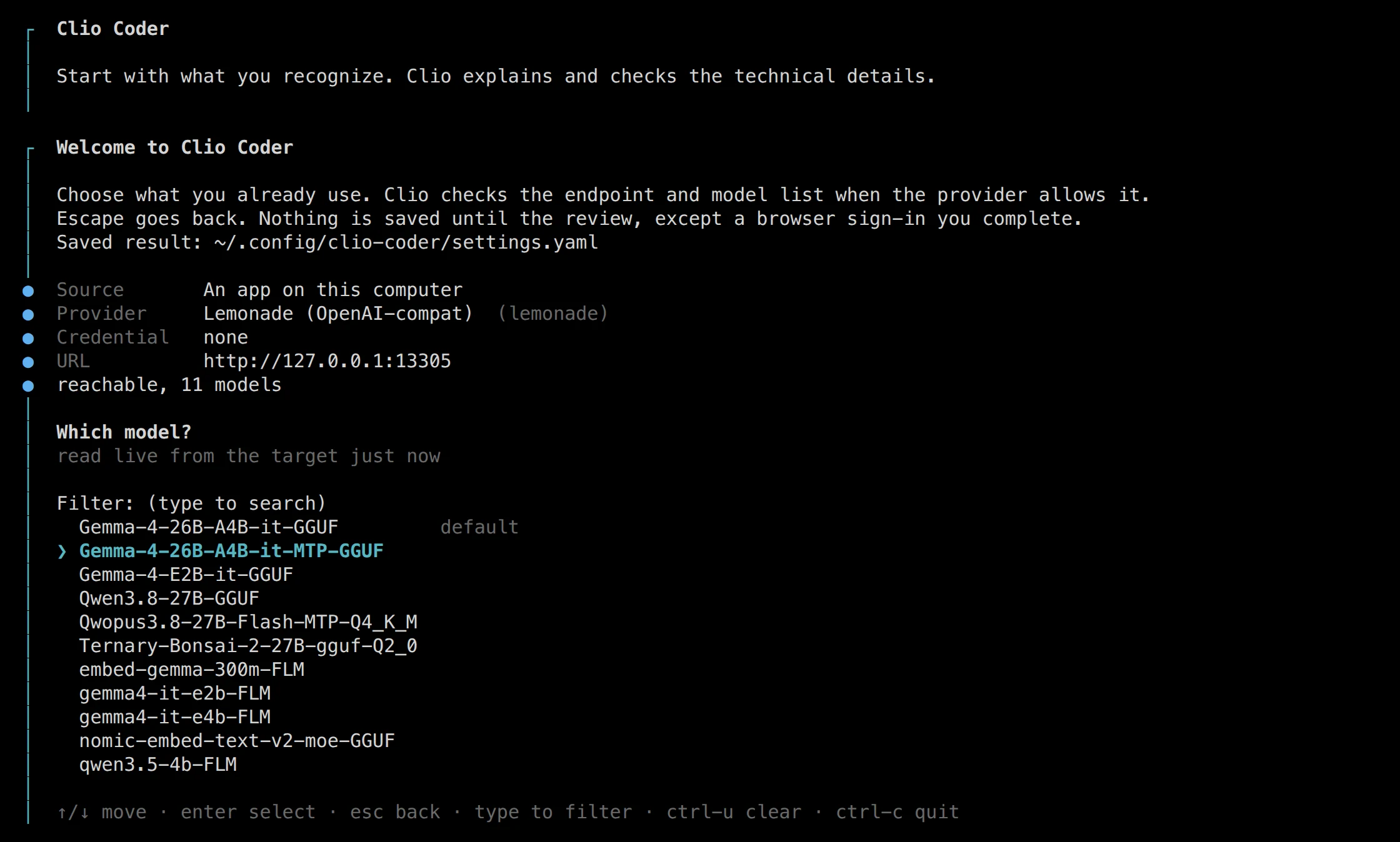
02 The model list, read live from the local app just now. Terminal · v0.5.7
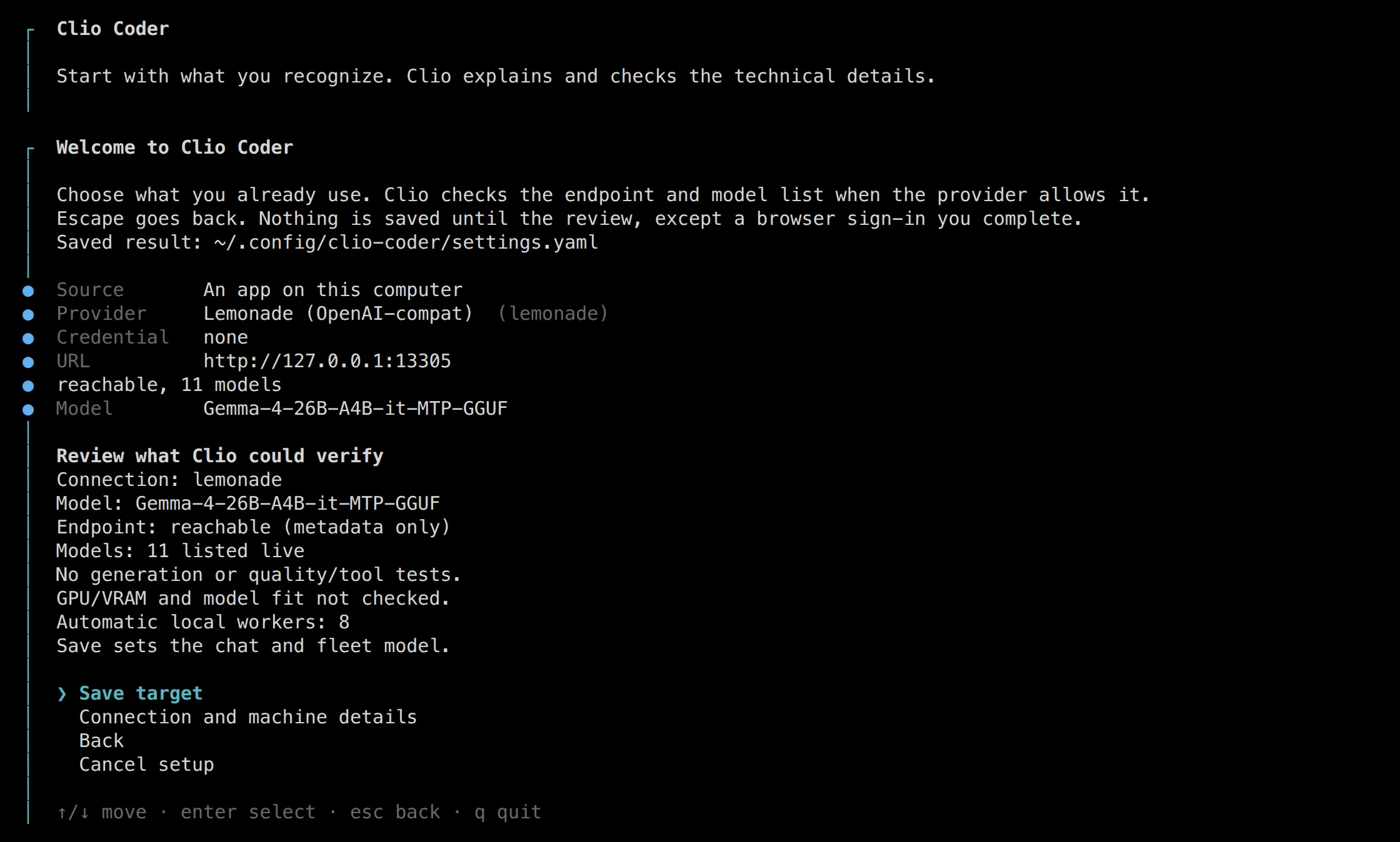
03 The review states what Clio could verify and what it did not test. Terminal · v0.5.7
What you should see
The model list says whether it is live, cached, or the provider's catalog. Setup checks reachability and the catalog where supported; it does not send a generation request or test tool calling. Reachability is useful, but it is not a coding benchmark.
Ask one question you can check
Explain this project's build and test entry points. Do not change files. Identify one check I could run to confirm your explanation.
Read the tool activity and compare the answer with the project. If it fails, check the endpoint, the loaded model, the credentials, and the selected runtime before giving it a larger assignment. clio-coder doctor provides diagnostics; it does not certify model quality.
Separate conversation from worker models
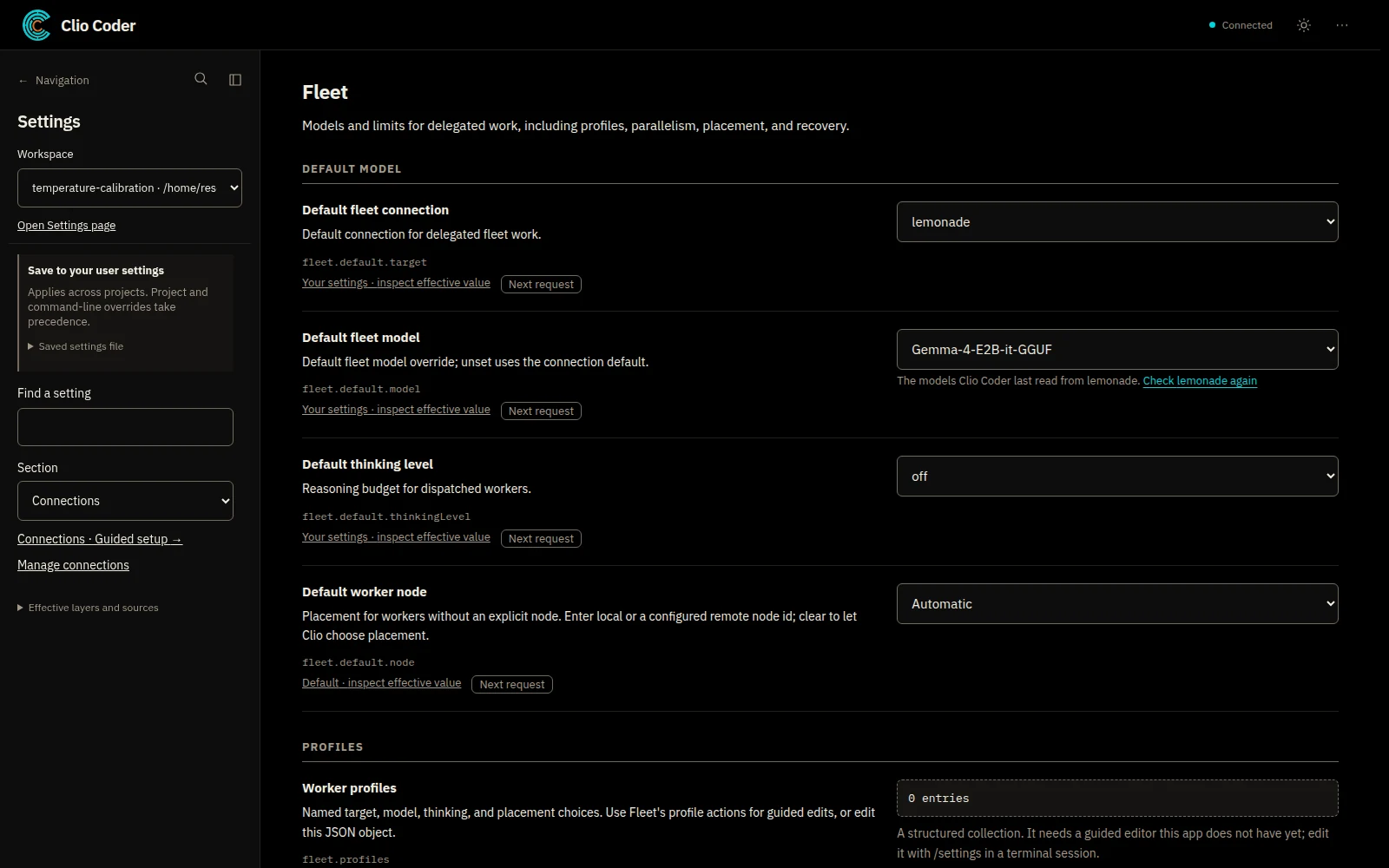
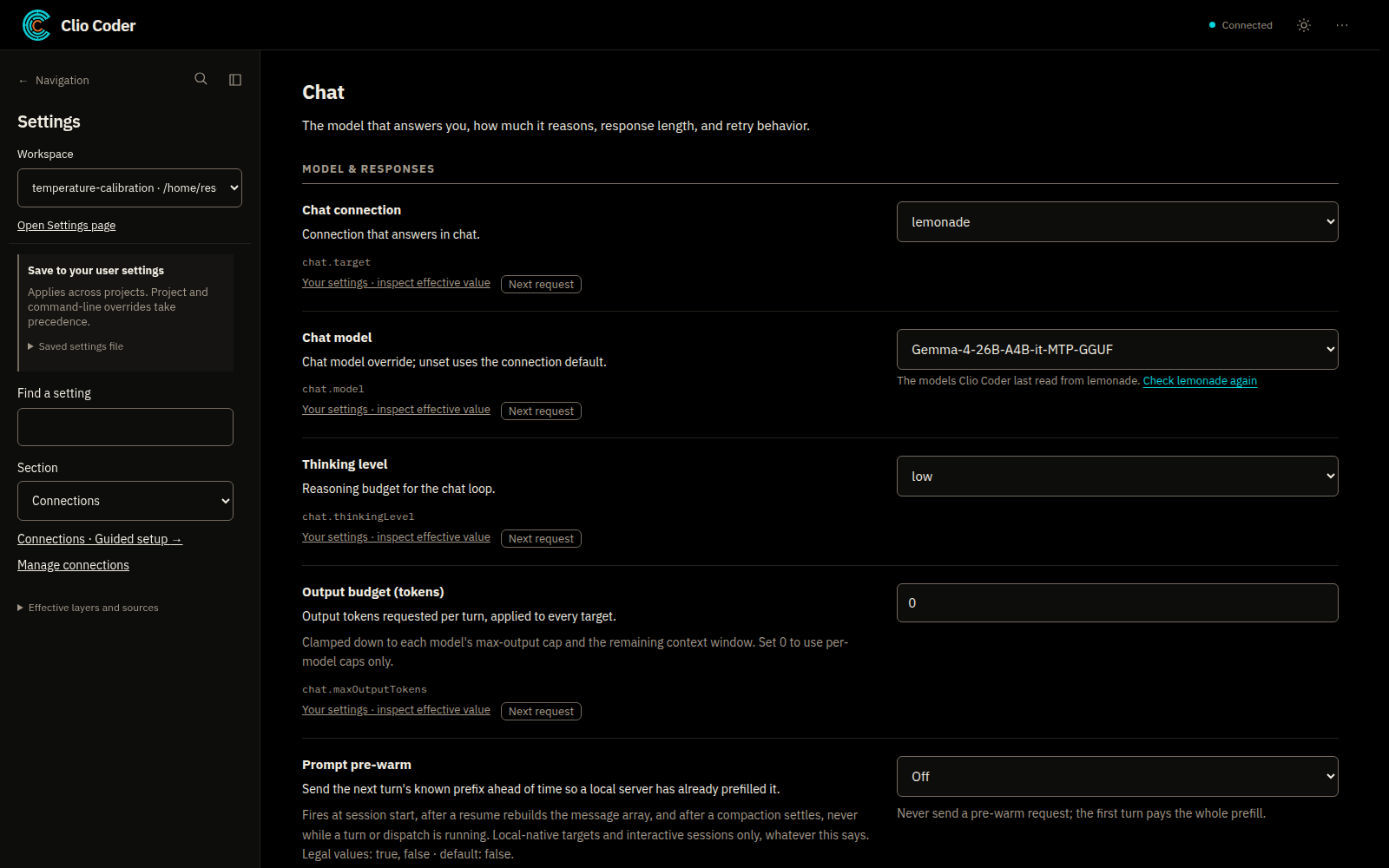
The model answering you need not handle every delegated task. Settings separates Chat from Fleet: select a connection and model for conversation, then use worker defaults or profiles for delegated work.
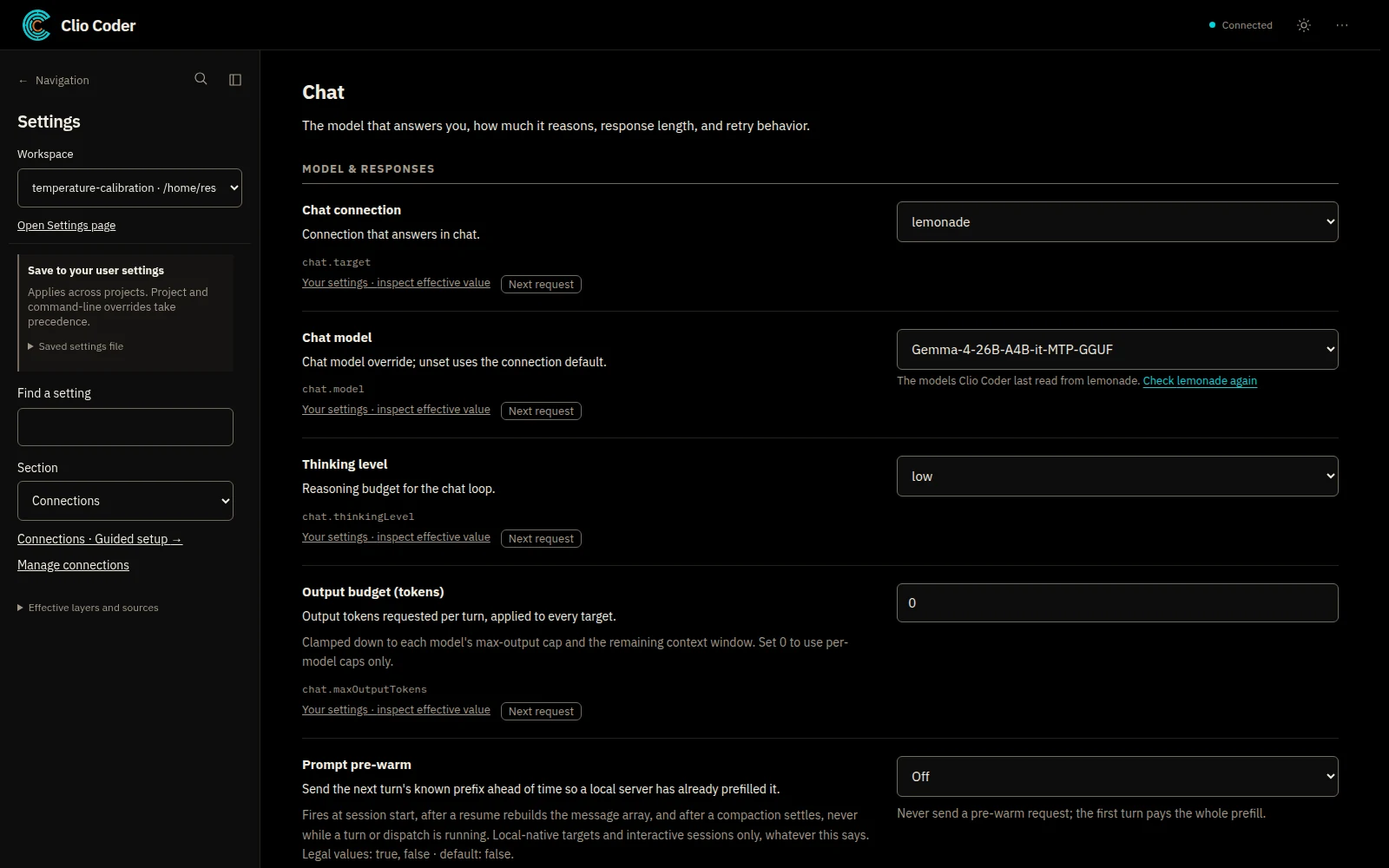
01 Settings, Chat: the connection and model that answer you. Desktop alpha · v0.5.7
02 Settings, Fleet: the default model, thinking level, and worker node for delegated work. Desktop alpha · v0.5.7
This helps when exploring a repository and changing code have different requirements, or when you want to keep a workflow while evaluating another model. The benefit depends on the task and environment; this guide makes no claim that a particular combination is cheaper or faster.
A worker running on your machine against a remote model server is still a local worker: inference and tool execution are separate choices. To run the worker process on another machine, use the fleet configuration.
Choose capabilities deliberately
Clio supports more than one kind of model interaction. Its Inception Mercury runtime supports diffusion-language-model workflows. Optional System One decision models answer closed harness questions. Neither replaces a chat model or is required to get started.
Vision support depends on the model and the route. A model advertised as multimodal is not enough if the bridge does not carry images: in v0.5.7 the managed Codex, Pi, and OpenCode bridges are text-only. Check what the route accepts before attaching a screenshot.
Know where information goes
- Clio runs locally, but a configured cloud model receives the input sent to that provider.
- Local inference keeps inference on the selected server; tools, peers, plugins, and commands can still make network requests.
- Clio is Apache 2.0 software. Inference hardware, provider usage, and subscriptions can still cost money.